1
One domain version
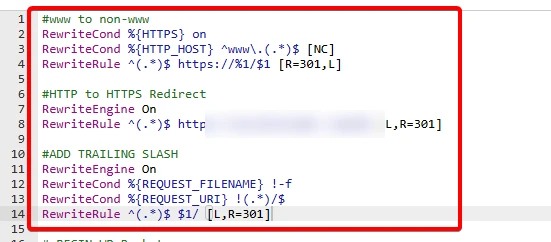
Redirect rules so every www and http version points to one canonical address.
← All case studies · Education · Tutorial publisher · Audit & fixes
A spreadsheet-tutorial publisher with more than 1,000 guides, free calculators and a paid template service was worried about lost traffic. I audited the whole site, traced the crawl errors, and shipped the server-side fixes myself.
01The business
With a library this large, one template problem repeats on every page, and one server problem can hide hundreds of URLs from Google. The brief was to find out exactly what was holding the site back, then fix what could be fixed without risking the live site.
02The audit
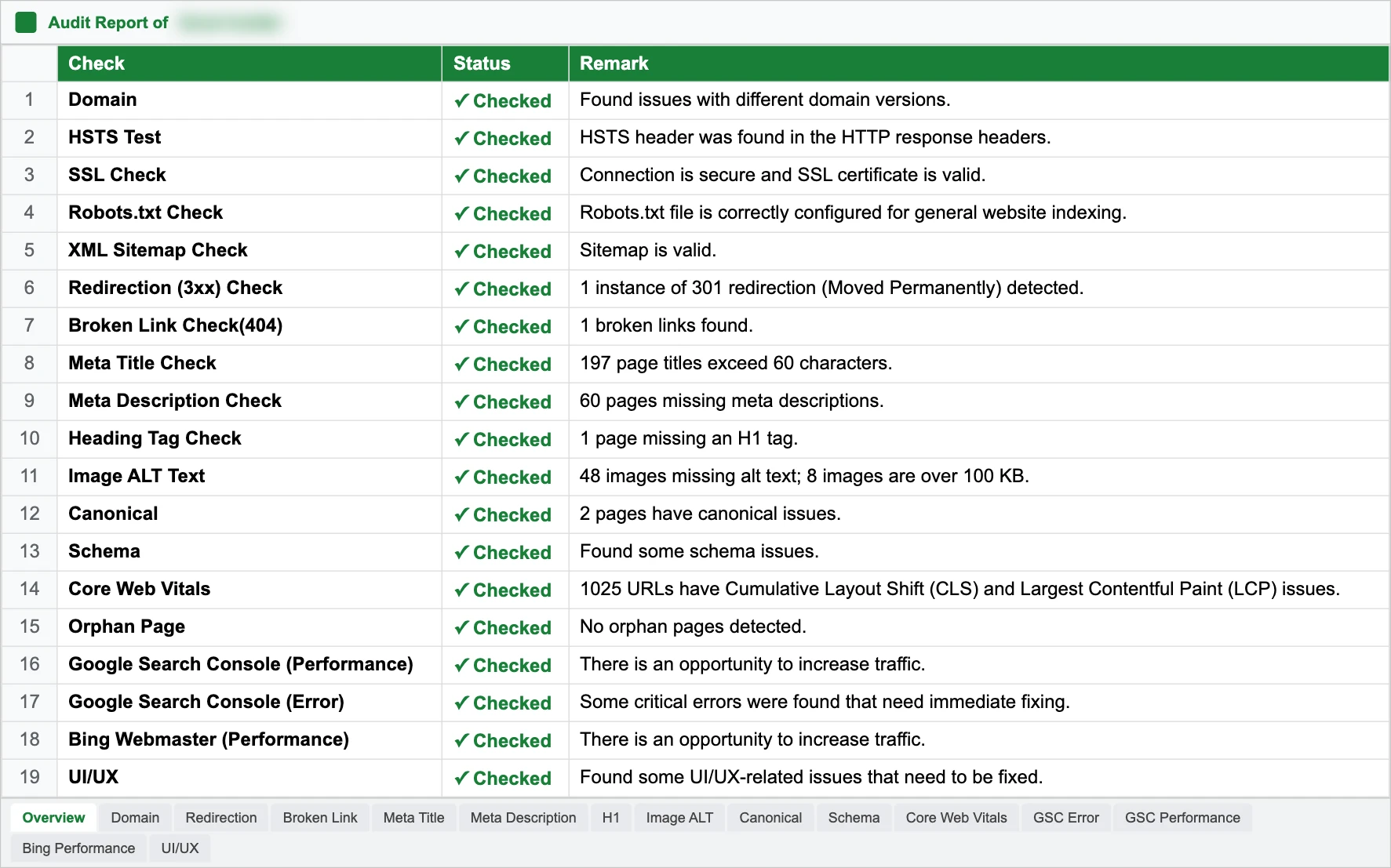
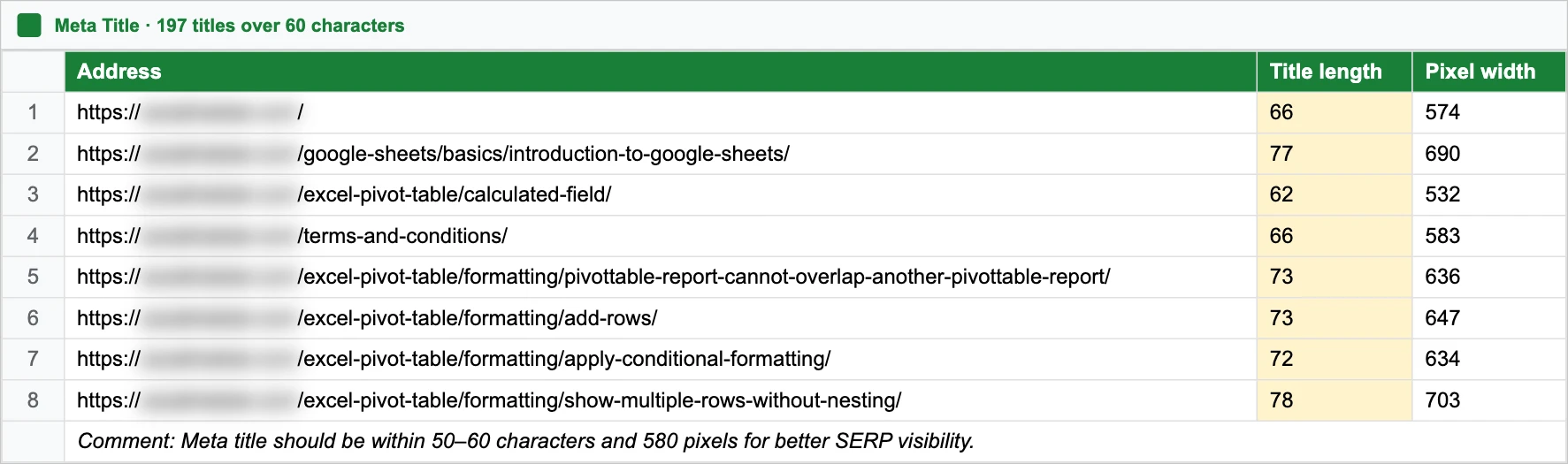
Everything went into one shared spreadsheet: an overview of 19 checks, then a tab per check listing every affected URL, with a comment on how to fix it.
03Traffic recovery
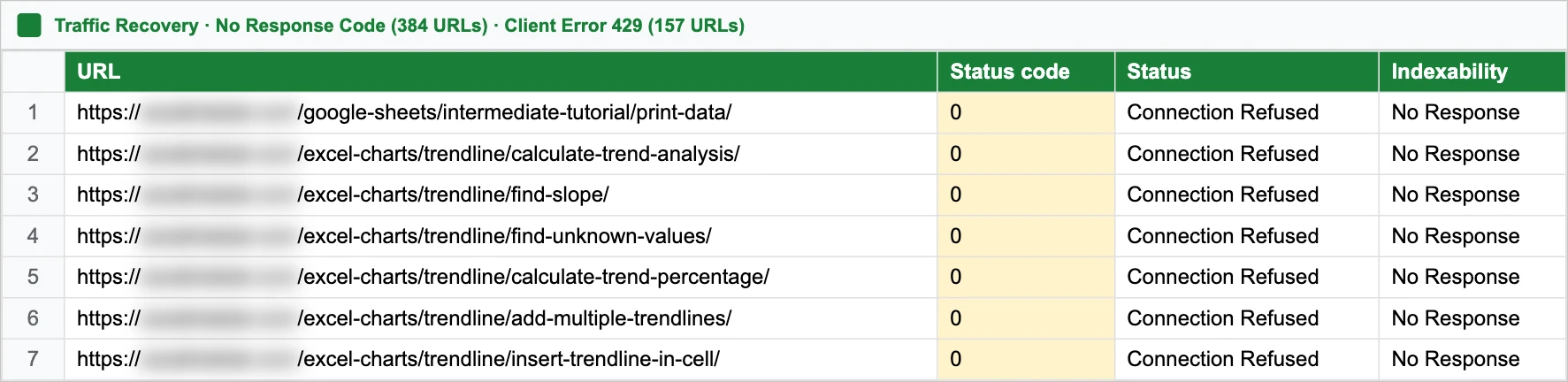
A separate crawl looked for the cause of the traffic concern. 384 URLs returned no response at all and 157 returned "429 Too Many Requests": the server was turning crawlers away. There were no indexability problems and no sign of a spam or keyword hack.
04What I fixed
1
Redirect rules so every www and http version points to one canonical address.
2
A Domain property set up so every version and subdomain is tracked in one place.
3
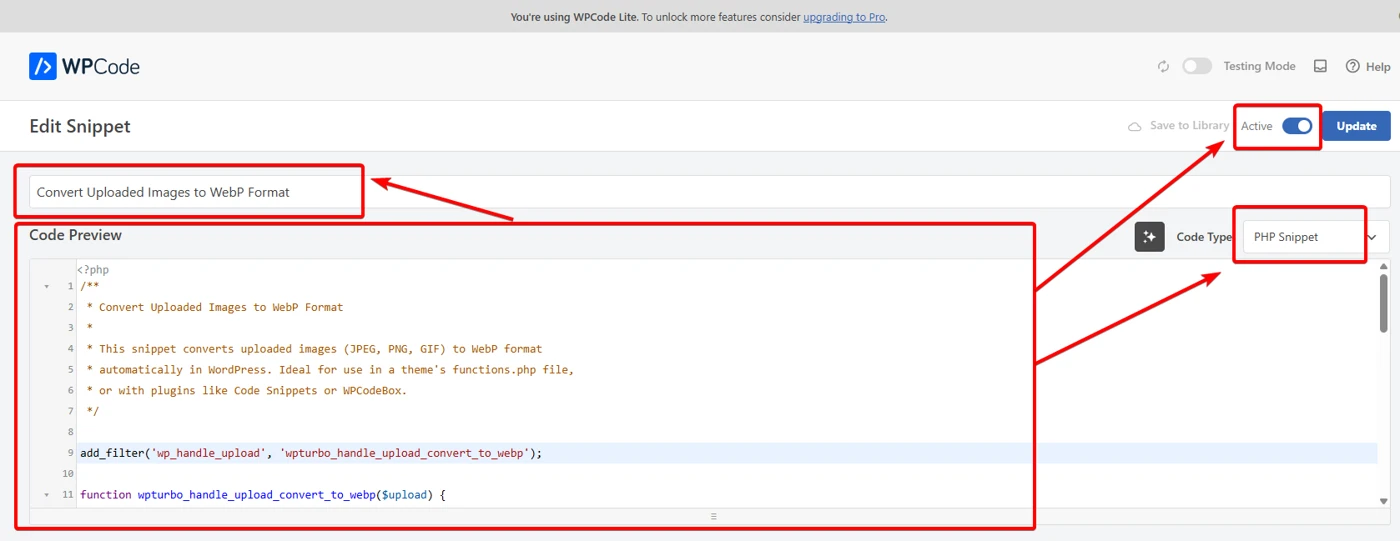
A small PHP snippet converts every new JPG or PNG upload to WebP, so pages stay light.
4
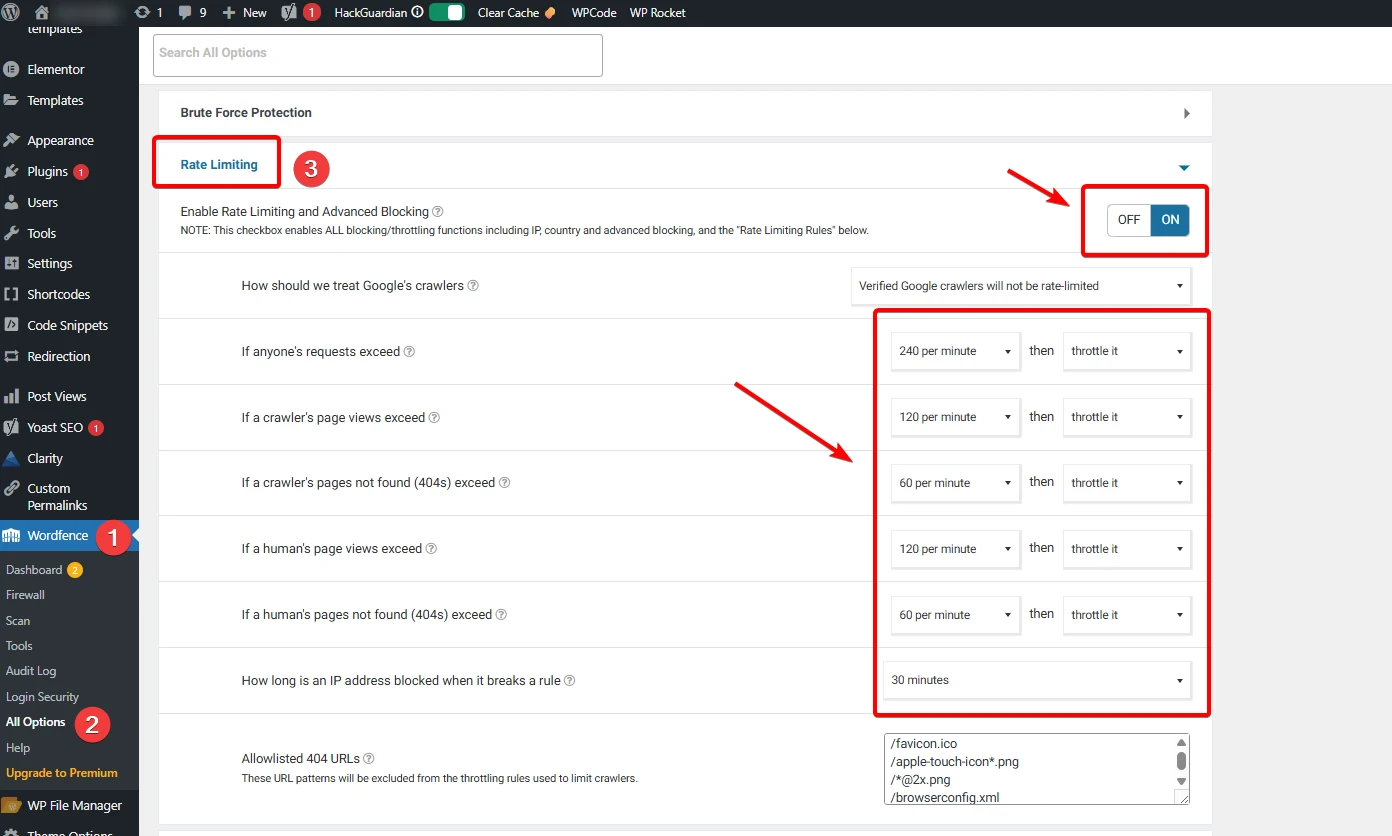
Firewall rules that throttle abusive traffic but never rate-limit verified Google crawlers.
5
A heavy analytics plugin removed and GA4 added directly, for speed and cleaner tracking.
6
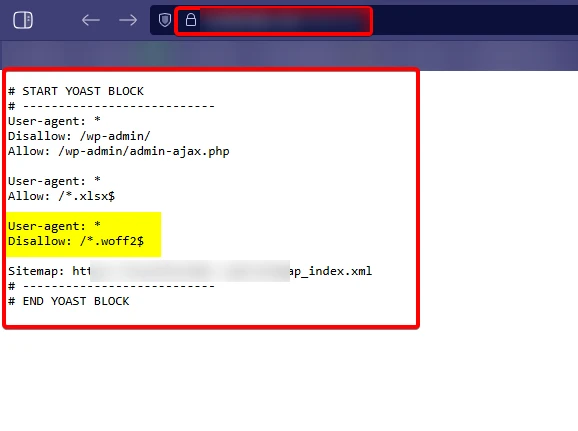
A rule to stop crawlers wasting budget on font files.
05Handover
One redirect rule would not apply on this server through either the .htaccess file or a redirect plugin, so I handed it to the developer with the exact rule. The 429 errors were most likely triggered by a plugin; rather than disable plugins on a live site, I contained them with rate limiting and documented the next step.
I audit every template and server response, then fix what I can myself and hand over the rest with exact instructions.